Python — Data Structures
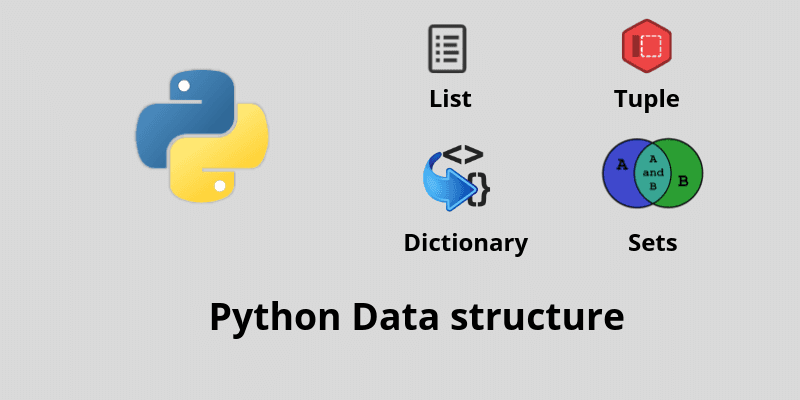
Data structures are a very important aspect of any language. Through Data structure we can solve any complex problems. Using data structure we execute our programs faster with minimum time and space complexity.
Python has basic 4 types of inbuilt data structures.
1. List
2. Dictionary
3. Tuple
4. set
List & Tuple:
List and tuples are an ordered sequence of values indexed by integer numbers. Moreover, the List and tuples are similar to each other there is only one difference between them. Lists are mutable and Tuples are immutable(can’t manipulate any elements in the tuple once created).
Creating a list/tuple
list = []
tuple = ()
Length of tuple/list:
l=[12,13,14,15]/l=(12,13,14,15)
len(l)
4
Index of element ‘X’ of list/tuple
l=[12,13,14,15]/l=(12,13,14,15)
l.index(13)
1
If not found, throws a ValueError exception
Count of occurrences of X in list/tuple:
l=[12,12,12,13,14,15]/l=(12,12,12,13,14,15)
l.count(12)
3
Update an item of List/tuple:
Lists:
l=['a','b','c','d']
l[3] = 'x'
print(l)
['a','b','c','x']
Tuples: tuples are immutable!
Remove element in position X of list/tuple:
Lists:
l=['a','b','c','d']
del l[1] #removing the element in mentioned index
l.pop()  #removing the last element
print(l)
['a','c']
Tuples: tuples are immutable!
Concatenate two lists/tuples:
Lists: myList1 + myList2
Tuples: myTuple1 + myTuple2
Concatenating a List and a Tuple will produce a TypeError exception
Insert element in position x of a list/tuple
Lists: myList.insert(x, "value")
Tuples: tuples are immutable!
Append “x” to a list/tuple:
Syntax: Lists: myList.append("x")
Tuples: tuples are immutable!
Convert a list/tuple to tuple/list:
Syntax: List to Tuple: tuple(myList)
Tuple to List: list(myTuple)
Some extra Inbuild functions:
min(a): Gives minimum value in a
max(a): Gives minimum value in a
sum(a): Adds up items of an iterable and returns sum
sorted(a): Sorted list copy of a
Dictionaries:
It is an unordered set of key-value pairs. In python you can only access the keys of the dictionaries, one of the main features of the dictionary is its a fast and efficient way to store data,
Initialize an empty Dict
d = {}Add an element with key “name” to the Dict
d["name"] = 'jon'
{'name':'jon'}Update the element with key “name”
Syntax:
d["name"] = 'tom'
d['age'] = 25
{'name':'tom','age':25}Get element with key “k”
d["name"]
'tom' -- If the key is not present, a KeyError is raised
Check if the dictionary has key “k”
"name" in d
True
Get the list of keys
d.keys()
['name','age']
Get the size of the dictionary
len(d)
2
Delete element with key “k” from the dictionary
del d["name"]
{'age':25}Delete all the elements in the dictionary
d.clear()
{}Sets:
A set is a sequence of objects which is unordered and unindexed. Their values are also unchangeable which we will discuss later on.
Creating Sets
Sets are denoted by curly brackets in Python. To create a set, you just have to write comma-separated values and store them in a variable.
mySet = {“Pakistan”, “Berlin”, “Iran”, “China”, “Palestine”}
print(mySet)
When the above code is executed, it produces the following result:
{'Pakistan', 'Berlin', 'Iran', 'China', 'Palestine'}Note: Whenever you print sets, the order of the elements will differ as they are unordered.
Accessing Elements in Sets
You cannot access elements of a set by using indices as the elements of a set are unordered and don’t have indices attached to them. However, you can use a set in a for loop to use its values.
for i in mySet:
  print(i)
When the above code is executed, it produces the following result:
‘Pakistan’
‘Berlin’
‘Iran’
‘China’
‘Palestine’
You can also use the in keyword to check if a value is present in a set.
print(“America” in mySet)FalseModifying Sets
The elements of a set are immutable while you can add more values to a set. To add a value to a set, the add method is used.
mySet.add(“Moscow”)
print(mySet)
When the above code is executed, it produces the following result:
{'Pakistan', 'Iran', 'Berlin', ‘Moscow’,'Palestine', 'China'}To add multiple values or another set to a set add the set time, use the update method.
mySet.update({“America”, “Australia”, “Africa”}) #you can also
                                                 provide a list here
print(mySet)
When the above code is executed, it produces the following result:
{‘Moscow’, 'Pakistan', ‘America’, ‘Berlin’, 'Iran', ‘Australia’, 'China', 'Palestine', ‘Africa’}Deleting Sets and Set Elements
Deleting sets is simple like all other sequences, just use the del keyword with the name of the set and it will be deleted.
del mySetHowever, to delete the elements of a set, you can use the method remove.
mySet.remove(“Moscow”)
print(mySet)
When the above code is executed, it produces the following result:
{'Pakistan', ‘America’, ‘Berlin’, 'Iran', ‘Australia’, 'China', 'Palestine', ‘Africa’}remove raises an error if the element is not present in the set. If you are not sure if an item is in a list or not, you can use discard. It will delete it if it is there and raise no error if the value is not found.
mySet.discard(“America”)
print(mySet)
When the above code is executed, it produces the following result:
{'Pakistan', ‘Berlin’, 'Iran', ‘Australia’, 'China', 'Palestine', ‘Africa’}
Comments
Post a Comment